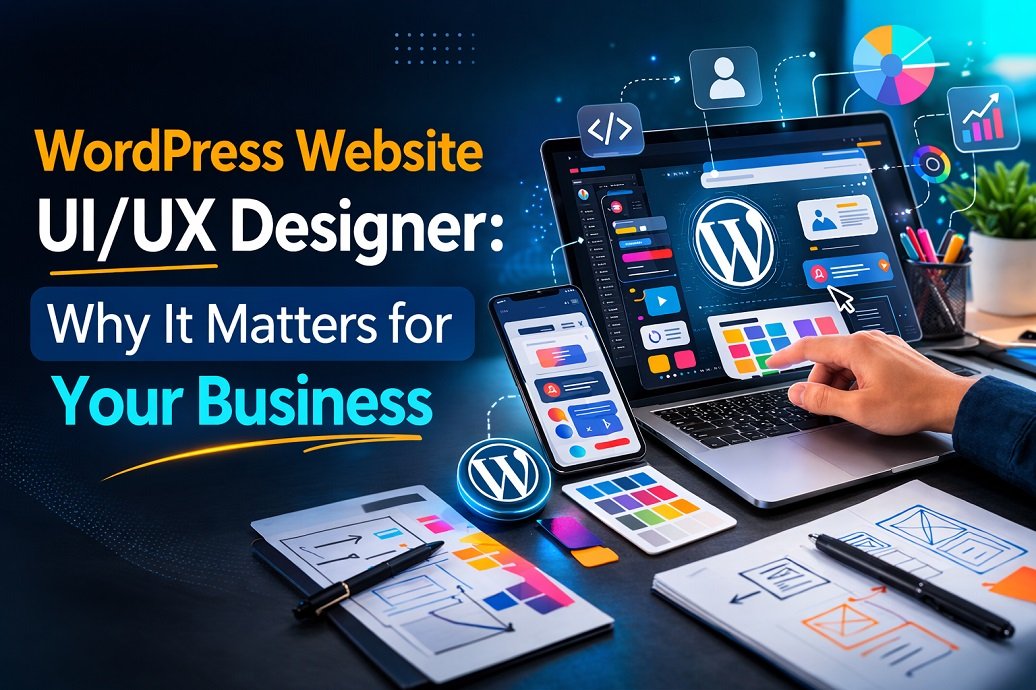
The role combines two important areas:
UI (User Interface)
UI focuses on how a website looks.
This includes:
- Layout design
- Colors and typography
- Buttons and icons
- Visual hierarchy
- Responsive design
The goal is to create a visually engaging interface that represents the brand.
UX (User Experience)
UX focuses on how the website works and feels for the user.
It includes:
- Navigation structure
- Page flow
- Mobile usability
- Loading speed
- Accessibility
- User journey optimization
A great UX ensures visitors can easily find what they need.
When UI and UX work together, the result is a website that attracts visitors and converts them into customers.
Why Businesses Need a WordPress UI/UX Designer
Many businesses launch a WordPress site using templates but fail to optimize the experience for real users.
This often leads to:
- High bounce rates
- Low engagement
- Poor conversions
- Weak search rankings
A professional WordPress website UI/UX designer solves these issues.
1. Improves Conversion Rates
Good UX guides visitors toward actions like:
- Contacting your business
- Buying products
- Signing up for services
Even small design changes can make a huge difference.
For example, optimizing call-to-action buttons can increase conversions by over 200% in some cases.
2. Boosts SEO Performance
Search engines increasingly prioritize user experience.
Google evaluates factors like:
- Page experience
- Mobile usability
- Core Web Vitals
- Site structure
A well-designed UX helps improve these signals, leading to better rankings and more organic traffic.
3. Enhances Brand Credibility
Your website is often the first impression of your brand.
A poorly designed website can make even a great business appear unprofessional.
A polished WordPress design communicates:
- Trust
- Authority
- Reliability
4. Optimizes Mobile Experience
Over 60% of web traffic comes from mobile devices.
A WordPress UI/UX designer ensures your site is fully responsive and easy to use on smartphones and tablets.
Key Elements of High-Quality WordPress UI/UX Design
Not all websites are created equal. Successful sites share several design principles.
Here are the most important ones.
1. Clear Navigation
Users should find information in seconds.
Best practices include:
- Simple menu structure
- Logical page hierarchy
- Sticky navigation
- Clear category labels
Confusing navigation is one of the biggest reasons visitors leave.
2. Fast Loading Speed
Speed affects both user experience and SEO.
Research shows that 53% of users leave a site if it takes longer than 3 seconds to load.
Optimized WordPress UX includes:
- Image compression
- Clean code
- Lightweight themes
- Efficient hosting
3. Mobile-First Design
Modern websites must be designed for mobile users first.
Mobile-first design includes:
- Large clickable buttons
- Readable fonts
- Touch-friendly layouts
- Simplified navigation
4. Consistent Visual Identity
Strong branding builds recognition and trust.
Consistency should exist across:
- Colors
- Typography
- Icons
- Layout patterns
This creates a professional and cohesive website.
5. Strategic Call-to-Actions (CTAs)
A well-designed WordPress site guides users toward key actions.
Examples include:
- Get a Quote
- Book a Consultation
- Download a Guide
- Start Free Trial
Placement, color, and wording all affect performance.
The WordPress UI/UX Design Process
Professional designers follow a structured approach to build effective websites.
At Fusion Finesse Design, the process typically includes the following stages.
1. Research and Discovery
Before designing anything, it's important to understand:
- The business goals
- Target audience
- Competitors
- Customer behavior
This stage ensures the design solves real problems.
2. User Journey Mapping
Designers map the path users take through the website.
This identifies:
- Key decision points
- Potential friction areas
- Opportunities to improve engagement
3. Wireframing
Wireframes are simple layouts showing page structure.
They help define:
- Content placement
- Navigation flow
- Page hierarchy
This stage focuses on functionality rather than visuals.
4. UI Design
Once the structure is finalized, the visual design begins.
This includes:
- Color schemes
- Typography
- Icons and graphics
- Interactive element
5. WordPress Development
The design is then implemented within WordPress using:
- Custom themes
- Page builders
- Optimized plugins
Performance and responsiveness are carefully tested.
6. Testing and Optimization
Before launch, designers test:
- Mobile responsiveness
- Page speed
- User behavior
- Accessibility
Continuous improvements ensure the best experience.
Common Mistakes in WordPress Website Design
Many websites struggle because of avoidable design errors.
Here are the most common mistakes.
Cluttered Layouts
Too many elements overwhelm users and reduce clarity.
Poor Mobile Optimization
Sites that work only on desktop lose a massive audience.
Slow Performance
Heavy images and unnecessary plugins slow down WordPress sites.
Confusing Navigation
If users cannot find what they want quickly, they leave.
Weak CTAs
Without clear calls to action, visitors won’t convert.
A professional WordPress website UI/UX designer prevents these issues from the start.
Why Choose Fusion Finesse Design for WordPress UI/UX?
Choosing the right designer can make a huge difference.
Fusion Finesse Design focuses on creating websites that are both visually stunning and strategically optimized.
Key strengths include:
- Conversion-focused design
- Mobile-first WordPress development
- SEO-optimized website structure
- Modern UI trends
- Fast-loading, performance-driven sites
Instead of using generic templates, the goal is to craft custom digital experiences that reflect each brand’s identity.
Internal Linking Suggestions
To strengthen SEO and user navigation, include internal links to:
- WordPress Web Design Services page
- UI/UX Design Portfolio
- Website Redesign Services
- SEO Optimization Services
- Blog posts about website usability or conversion optimization
Suggested placement:
- After explaining the design process
- When discussing website redesign
- Within the CTA section
Internal linking helps search engines understand your site structure and improves rankings.
FAQs About WordPress Website UI/UX Designers
What does a WordPress website UI/UX designer do?
A WordPress website UI/UX designer creates websites that are visually appealing and easy to use. They design layouts, improve navigation, optimize mobile usability, and enhance the overall user experience.
Why is UI/UX important for WordPress websites?
Good UI/UX design improves usability, reduces bounce rates, and increases conversions. It also helps websites rank better in search engines by improving user engagement.
How much does WordPress UI/UX design cost?
Costs vary depending on project complexity, features, and customization. Professional WordPress design projects typically range from a few hundred to several thousand dollars.
Can a UI/UX redesign improve my existing WordPress website?
Yes. Many businesses see significant improvements in traffic, engagement, and conversions after redesigning their website with better UX principles.
How long does a WordPress UI/UX design project take?
Most projects take 2 to 6 weeks, depending on the size of the website and the level of customization required.
Conclusion: Build a WordPress Website That Truly Works
A great website isn’t just about appearance.
It’s about creating a seamless experience that guides visitors, builds trust, and drives results.
A professional WordPress website UI/UX designer ensures that every element of your site—from navigation to visual design—works together to support your business goals.
Whether you're launching a new site or improving an existing one, investing in expert UI/UX design can dramatically improve your online performance.
If you're ready to create a WordPress website that combines beautiful design, powerful usability, and real business impact, Fusion Finesse Design is here to help.
Start building a smarter, more effective website today with Fusion Finesse Design.